Make Your Own Mouse Pad at Home or Order One Custom
Make your own mouse pad at home or order a custom print. Compare materials and costs, prep sharp artwork, and see how to sell pads online.

Contents
Making your own mouse pad means creating one at home from simple materials or customizing a pad for professional printing. Choose a smooth surface and nonslip backing, size it to your desk and mouse movements, and prepare artwork with enough resolution and safe margins; order a sample before a larger batch. A practical, personalized pad can improve your workspace, make a useful gift, or become a product to sell without keeping stock.
Your mouse pad is a bit like a business card that sits on your desk all day, seen every time you reach for your mouse. A worn, curling one sends a quiet message you probably don’t want.
The short answer: you can make your own mouse pad at home with simple materials, or order a custom-printed one and skip the mess.
This post covers both routes, then shows you how to turn the idea into a desk mat, a client gift, or a small product you can sell.
Choose Mouse Pad Types, Sizes, and Materials
Before you buy or cut anything, it helps to know your options. The right pick depends on shape, material, size, and how you work.
Shapes and styles to choose from
The standard rectangular pad suits most desks and mouse movements. Round pads trade surface area for a smaller footprint. Gaming pads are built for fast, wide sweeps, and desk mats cover most of the desk.
Some models add a wrist rest or LED (light-emitting diode) lighting as extras.
What pads are made of
The surface is the part your mouse touches, and it’s usually polyester fabric or neoprene (a synthetic rubber). Memory foam adds a padded feel, and PU leather (short for polyurethane, a synthetic stand-in for real leather) is another option.
A rubber non-slip base keeps the pad from sliding, and some pads bond fabric to rubber for cloth on top with grip underneath.
Thickness and durability matter more than you might expect. A pad that feels great out of the wrapper can still wear down, so judge it by how it wears, not just how it looks. Day one is the easy part.
Common pad sizes, from compact to extended
Sizes run from small to large:
- Compact 8-inch rounds: a good fit for a tight desk or a bag.
- Standard 8.7-inch pads: a common everyday size for daily work.
- Extended 35-36 inch mats: cover much of the desk.
- Single fixed size option: some pads come in just one size, so check the listing before you order.
How the main pad types differ
Three types cover most needs, and each does a different job:
- Standard pads handle daily work, from everyday clicking to long stretches at the screen.
- Gaming pads need mouse room, so you’ll want space for big, fast moves without hitting the edge.
- Desk mats protect the whole desk, giving your mouse, keyboard, and notes one surface to share.
What mouse pad should you get? If you mostly click and scroll, a standard 8.7-inch pad is a safe default. A round pad suits a tight desk, and gaming pads need room for big, fast moves. Want one surface for everything? Go with a desk mat.
Consider a freelance photographer who edits on a shared desk with a keyboard, a notebook, and a stack of prints. A desk mat gives all of it one clean surface, so the mouse has room to move without bumping into the prints.
How to Make Your Own Mouse Pad
You can make a mouse pad two ways: a do-it-yourself (DIY) build or a custom print order. Either way, it can become a desk mat, a client gift, or a small product.
Follow the steps from signup to order
- Sign up and browse the catalog.
- Pick your pad type. Choose printed or homemade.
- Upload or create your design. Bring a file or build one below.
- Preview, then order. Check it closely before it goes to print.
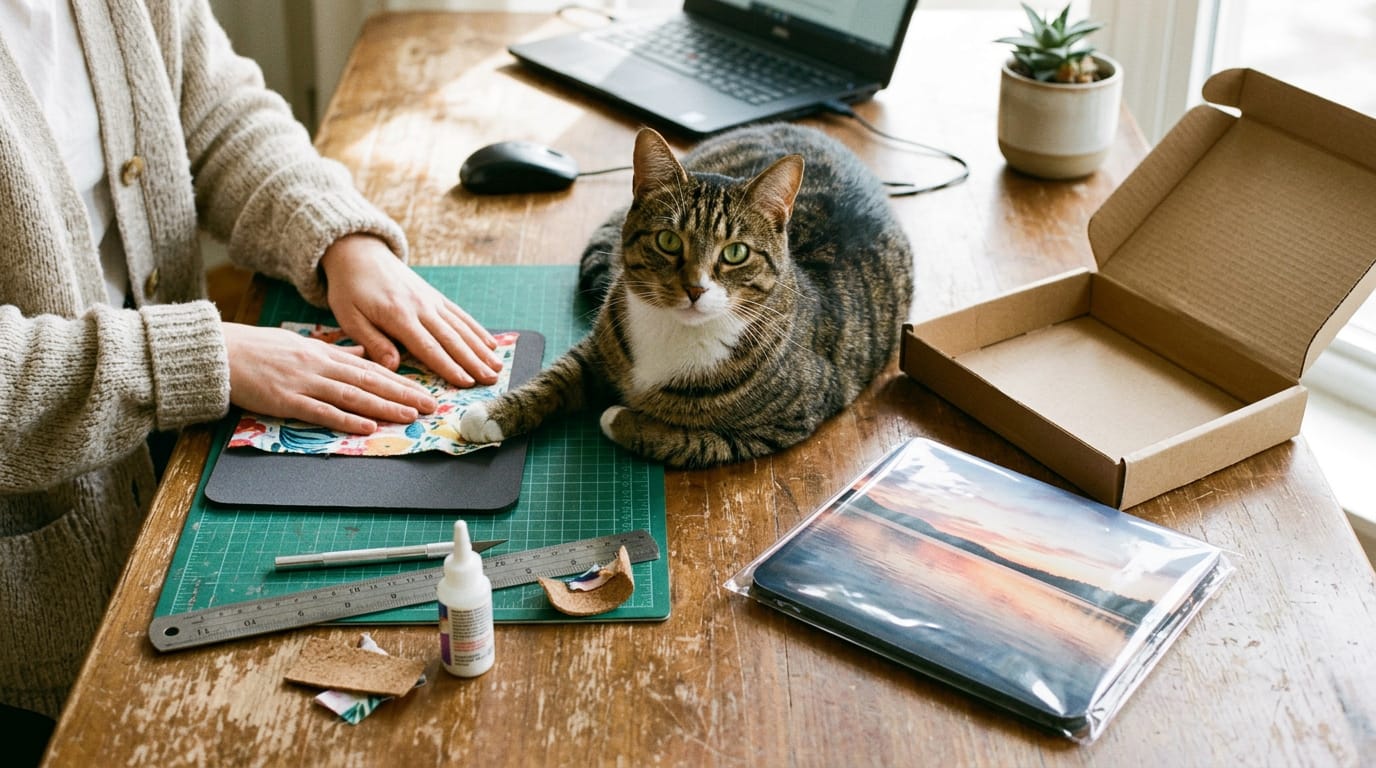
For a homemade pad, the surface matters most: pick a flat top your mouse can glide over and a backing that won’t slide. Smooth beats fancy. As for materials, scraps of fabric or cardboard are common starting points.
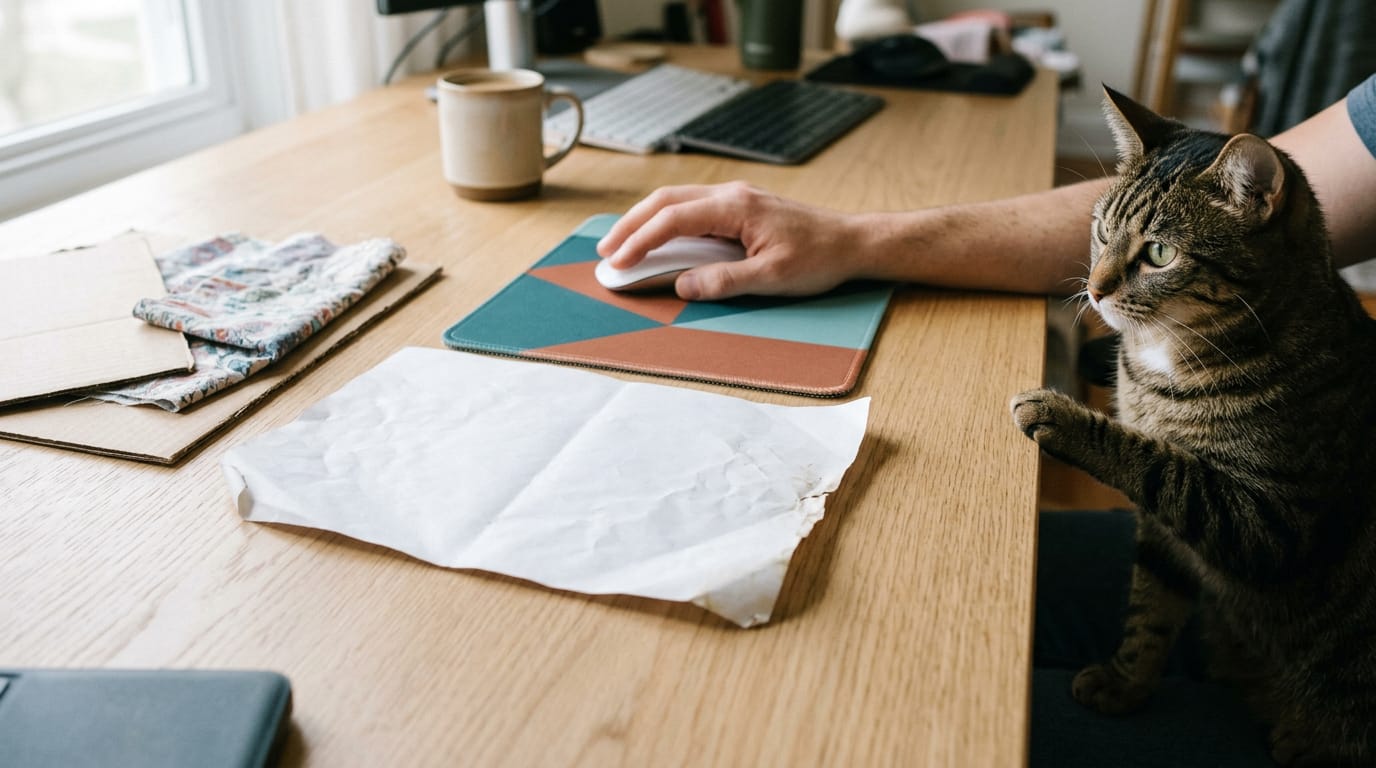
Can you use a piece of paper as a mouse pad? In a pinch, yes, but paper slides and tears, so it’s a temporary fix, not a lasting one.
Design your pad with free online tools
- Free mouse pad maker. Start from a template built for a mouse pad.
- Add text, shapes, and colors. Layer on your name, logo, or a simple shape.
- Free graphics and patterns. Grab a ready-made background instead of drawing one.
- AI image generator. Artificial intelligence (AI) turns a written description into a picture you can build on.
- Realistic mockups and 3D previews. See the finished pad before you order.
Think of a freelance illustrator who shares a realistic mockup with a client before anything is printed. Revisions happen on screen instead of on a reprint.
Order one for yourself or to sell
- Order a single pad. Buy one for your desk or as a gift.
- Connect your online store. Link it if you plan to sell.
- Provider handles print and shipping. The provider prints and ships each pad while you focus on design.
A freelance photographer orders one pad with her favorite shot and sends it to a long-term client as a thank-you gift. It sits on the client’s desk every workday.
Prepare Your Design for Sharp Printing
Sharp on screen doesn’t guarantee sharp on a pad, so set up your file right first.
File types and resolution you need
Print detail is measured in DPI (dots per inch). Export at or above your printer’s stated minimum. Set the pixel dimensions to the pad’s printed size, not its screen size.
Use PNG (Portable Network Graphics) for sharp edges and transparency, TIFF (Tagged Image File Format) for lossless files, and JPEG (Joint Photographic Experts Group) only at its highest quality.
Work in sRGB, the standard RGB (red, green, blue) color space, and match your artwork’s color profile to what your printer asks for.
Where your design sits on the pad
With edge-to-edge printing, your artwork runs to the edges, so extend backgrounds into the bleed, the strip past the finished size that gets trimmed off.
Keep text and faces inside the safe print area, the inner zone that stays visible if the cut lands a little off.
Expect slight centering deviations, so leave margin around key elements. Tiling a logo as a repeat pattern? Check the seams before you order.
Think of a freelance illustrator selling pads with original linework. She extends the background into the bleed and keeps her signature inside the safe area, so the pad looks finished, not cropped.
How pads are printed and finished
One method is sublimation printing, where heat turns dye into gas that bonds with a polyester-coated surface. Ask whether your maker uses water-based inks, which use water rather than solvents, and what the HD (high definition) vibrant finish changes.
Surface type matters for tracking too: a glossy finish can give some optical mice trouble, while a textured cloth usually won’t.
Handmade, made-to-order pads start production after the order comes in, so build that time into your deadline. Order a sample first.
Ideas for Designs and Who Uses Them
A mouse pad can carry almost any design, but the right choice depends on who’s using it.
Pads with photos, pets, and art
Personal pads are the easiest place to start. Photos and memories make the most meaningful designs, whether it’s a family trip or an old sketch. Pet portraits and memes bring a little humor to the desk.
For an illustrator, abstract art and patterns show off your own style without needing anyone’s photo. Quotes and typography work too, as long as the words are short. Long text gets lost under a moving cursor.
Custom pads for business and giveaways
A pad with a company logo is less a sales pitch and more a reminder people see every workday. Branded pads tend to fit three situations:
- Client gifts. A practical thank-you once a project wraps.
- Giveaways. Trade show booths and events where visitors take something home.
- Onboarding kits. A welcome item for new hires, with each employee’s name printed on it.
Think of a freelance illustrator whose client is exhibiting at a trade show. She designs a pad with the company logo and a mascot she drew for the campaign, and the booth team hands them out.
Visitors take home a reminder that sits on their desk long after the event ends.
Gaming designs with characters or neon
Gamers who follow competitive video gaming, known as eSports, often want a favorite character or team logo on the desk. A portrait drawn in the game’s style is a strong start.
Neon and RGB styles (RGB is red, green, and blue light) use glowing edges and dark backgrounds that suit a setup with its own lights.
Minimalist layouts suit players who want a cleaner desk. A single color and one simple shape keep the focus on the game. Busy art gets tiring fast.
Personalize home offices and team desks
Home offices are a natural place to make a pad feel personal. Pick a color, pattern, or short quote that matches the room. Unified company desks flip that idea: matching pads across a team create a shared look instead of a personal one. Both work well.
What Pads Cost and How to Save
Pricing a mouse pad is less about finding the lowest number and more about matching the order to what you’ll use.
What each pad costs and why
The starting price per pad catches your eye, but the total is what you’ll pay. Compare that total at the quantity you’ll really order.
Made-to-order means each pad is printed after you order it. Think of a freelance illustrator who needs twelve pads with her new artwork for a client gift. She pays for exactly twelve, with no leftover stock in a closet.
A do-it-yourself (DIY) route trades that print bill for materials and your time.
A premium plan only saves money if you’ll use what it covers often enough to justify its cost.
Save on bulk, wholesale, and student orders
Bigger or smarter orders can lower your cost. Here’s what we’d ask about first:
- No minimum orders. Ask whether a printer will run a small batch. That lets you test a design before a big run.
- Volume discounts. Ask how the per-pad price drops at higher quantities, then confirm you’ll use the extra pads.
- Wholesale programs. If you resell pads or give them to clients regularly, ask about a wholesale option.
- Student discounts. If you’re still enrolled, ask whether one is offered and what proof it needs.
- Free samples. Ask whether a sample order is free, then test print quality and color with your own artwork.
Picture a freelance photographer who orders one sample pad before she orders fifty for a client gift. It shows her how the image holds up on the surface, so the full run isn’t a costly surprise. Test first. Order second.
Sell Your Custom Pads Online
Here’s how to sell pads without a stockroom, where to list them, and who’s likely to buy.
Sell with no stock or upfront cost
Traditional selling means paying for stock before anyone orders. With print on demand, a provider prints each pad only after a customer buys it, so you’re paying for orders instead of inventory.
For example, an illustrator who designs pads for a local game store can sell them without a spare-room stockpile. No stock, no storage, no guessing.
Dropshipping is another route: the supplier ships each order straight to your customer. A white label setup lets you rebrand a supplier’s pad with your own logo and packaging.
Connect to Shopify, Etsy, Amazon, and more
Your options fall into two groups, plus one time-saver:
- Store builders: Shopify, WooCommerce, Wix, and Squarespace let you run your own shop.
- Marketplaces: Etsy, Amazon, eBay, and TikTok Shop put your pads in front of shoppers already browsing.
- Automated fulfillment: sends each paid order straight to production and shipping.
Think of a photographer who sells pads printed with a favorite landscape shot. When a buyer checks out on Etsy, the order goes straight to the print partner, and the photographer spends the afternoon on the next shoot. Less admin, more shoots.
Growing demand from workers, gamers, and brands
The desk and setup accessories market keeps growing. Remote workers often look for a clean, wide mat for a home office, and gamers may want a bigger pad with bold art. Businesses order branded pads as client and team gifts.
Each branded set can also go in your portfolio as proof of brand work.
Making, Shipping, and Trusting Your Provider
Once your design is approved, we’d check three things: how long the order takes, where it’s printed, and whether the company deserves your trust.
How long production and delivery take
An order has two parts: production time (printing and finishing) and delivery. Production runs 1-2 days, and delivery takes 2-5 business days. If you’re sending pads to a client overseas, look for fast worldwide shipping so they don’t arrive late.
Say you’re a freelance illustrator with a conference giveaway due on Thursday. Count backward using the longest estimate, not the shortest, so the pads reach the booth on time. Build in slack.
Where pads get printed and shipped from
Global print providers can print across more than one region, while local print facilities print closer to home. Some providers rely on a single London facility, so every order leaves from the same place.
Check that location against where your recipients are before you commit. The question isn’t just who prints your pad but where it ships from.
Reviews, testimonials, and help when needed
Before you pay, read customer reviews and ratings to see what other buyers actually received. Merchant testimonials, from other small sellers, show how the service holds up for businesses like yours.
Then check support: live chat and the help center matter most when a file won’t upload the night before a deadline. Consider a photographer whose print file gets rejected the evening before a client’s launch.
With live chat, she can get an answer that night instead of losing a full day. Test support before you need it.
Keeping Your Pad Clean and Lasting
Your mouse pad works hard every day, so a few simple habits keep it sharp and smooth. Here’s how to clean it and know when to replace it.
How do you wash a printed mouse pad?
Washing a printed mouse pad is simpler than it sounds. Start with a surface wipe using a soft, dry cloth. If you’ve searched for how to wash a printed mousepad, the short answer is to wipe it, not soak it.
When it needs more, use a mild soapy damp cloth. Wring it out well and wipe gently. Keep it dry rather than drenched. Standing water can seep into the print and the material underneath, so a damp cloth is the safer choice. Skip the soak.
Don’t forget the bottom. The non-slip base wipes clean with the same cloth, and keeping it clean helps the pad stay put while you work.
How well pads hold up in daily use
A well-made pad withstands daily use. Long-lasting prints hold their detail through hours of clicking, and a smooth surface keeps your pointer precision steady, so the cursor goes exactly where you aim it.
Picture a freelance illustrator who keeps a custom pad beside their tablet. Its print stays crisp through weeks of revisions, so the desk still looks polished behind them on every video call.
Replacing your mouse pad is simpler than you’d think. Watch for:
- a faded print
- a rough patch
- a pointer that starts to feel unpredictable
To change it, slide the old pad off, wipe the desk underneath, and lay the new one flat.
Whichever route you choose, the goal is the same: a surface that feels good under your hand and carries your studio’s style. Making one yourself gives you full control, while a custom-printed order saves time and gets a sharp finish.
Either way, your design can grow into a desk mat, a client gift, or a small product you sell. Start with one pad, and you’ll be surprised how far it goes.
Questions
What are the available sizes for custom mousepads?
Custom mousepads are available as compact 8-inch rounds, standard 8.7-inch pads, and extended 35- to 36-inch desk mats. Some products come in only one fixed size, so check the product listing before ordering.
How to wash a printed mousepad?
Wipe the pad gently with a soft, dry cloth first. For tougher dirt, use a well-wrung damp cloth with mild soapy water, and avoid soaking it because water can seep into the print and backing. Wipe the non-slip underside too.
How do you change your mouse pad?
Slide the old pad off the desk, wipe the surface underneath, and lay the replacement flat. Choose a size and type that fit your desk and how you use your mouse.
Can I print on demand a custom mouse pad?
Yes. Print-on-demand providers print a custom mouse pad after a customer places an order, so you can sell designs without buying or storing inventory in advance. Many providers also handle shipping to the customer.
What to use for a homemade mouse pad?
Fabric scraps or cardboard can make simple homemade mouse pads. Choose a flat surface that lets the mouse glide and add a backing that keeps the pad from sliding.
Can you use a piece of paper as a mouse pad?
Yes, a piece of paper can work as a temporary mouse pad. It may slide or tear, so it is not a durable replacement.
What mouse pad to get?
For everyday clicking and scrolling, a standard 8.7-inch pad is a good default. Choose a round pad for a tight desk, a gaming pad for wide, fast mouse movements, or a desk mat to cover more of the desk and share space with your keyboard and notes.