UI UX Design Explained: Interfaces, Process, and Careers
UI UX design shapes screen layouts and the full product experience. See the process, key deliverables, tools, and career paths behind each field.

Contents
UI/UX design combines the screens people see and use with the overall experience of completing tasks in a product. UX focuses on understanding users, organizing clear steps, and testing whether the product is useful and easy to use; UI makes those steps visually clear, accessible, and consistent. In practice, strong design pairs research and usability with thoughtful layouts and controls, helping people complete tasks without confusion and giving teams clear deliverables to build.
Think about a café with a clear menu board, a friendly barista, and a line that moves fast. The menu board is what you notice. The whole visit is what you remember.
User interface (UI) design is the look and layout of the screens people tap, click, and scroll through. User experience (UX) design is how the whole product feels to use, from first tap to finished task.
This guide covers both fields, the process behind them, the roles and what they pay, and how solo creatives can scope, price, and showcase UX work in a portfolio.
Understanding the Basics of UI UX Design
Clients often use user experience (UX) and user interface (UI) interchangeably. Knowing the difference helps you scope jobs and quote with confidence.
How UX design shapes the whole experience
UX is the overall feeling someone has while using a product, from the first click to the last. It’s judged on usability (can people finish the task?), usefulness (does it solve a real problem?), and desirability (will they come back?).
Good UX comes from research, not guesswork: talking to real users and testing before you commit to a layout. It’s also part of the wider customer experience, and it shows how a product works, step by step.
For example, a freelance photographer’s booking page can look polished, but if the date picker confuses people and the confirmation never arrives, the client leaves frustrated. The page looked great. The experience didn’t.
How UI design looks and feels
UI is the look and feel, the layouts, and the buttons and controls that move people forward. UX asks, “Does this work?” UI asks, “Does this look clear and feel right?”
UI covers graphical interfaces like websites and apps, plus voice interfaces where people speak to a device. Visual elements (color, type, icons) and interactive ones (toggles, menus) both count.
Consider a solo illustrator designing a shop’s checkout. Labeling the main button “Pay deposit” instead of “Submit” makes the next step obvious.
How UX and UI differ
UX has the broader scope, and UI is a subset of it. UX is function and UI is appearance. One asks what a product does for someone; the other asks how it looks while they use it.
Think of a freelance writer’s newsletter signup. UX decides which questions to ask and what happens after someone subscribes. UI handles the field spacing, colors, and button text.
Where UX and UI roles overlap
Plenty of freelancers wear both hats, and combined UX/UI job listings reflect that. The two share some common ground:
- User-centered design expertise. Both start with the people who’ll use the product.
- Cross-functional collaboration. You’ll work with developers, clients, and other creatives.
- Shared design tools. Many of the same tools cover research notes, wireframes, and final screens.
A solo designer building a booking app for a yoga studio might run the interviews, map the flow, and design the screens. Owning it all can mean fewer handoffs.
Origins and neighboring fields
The term has a clear origin. Don Norman, who coined “user experience,” said he chose it because he thought “human interface and usability were too narrow.”
The field also draws on neighboring disciplines. Human factors and ergonomics study how people fit with their tools.
Human-computer interaction looks at how people and computers communicate, and interaction and visual design shape how a product behaves and looks.
Because the field is multidisciplinary, a background in writing, illustration, or photography can be a real asset.
How the UX Design Process Works
User experience (UX) design runs in a loop, with each stage feeding the next. Here’s how that work flows for a solo creative.
Learning what users really need
User research comes first, and it finds answers before you design anything. Interviews reveal why, and surveys show how common a problem is. Field studies show you the workarounds people build in their real setting.
Track their pain points and behaviors, since what people do beats what they say. Competitor analysis shows what rivals get wrong, so you don’t copy it.
Evidence over assumptions is the rule: without a conversation, observation, or number behind a choice, it’s a guess. Guesses get expensive. Lean research suits solo work.
A freelance illustrator redesigning a bakery’s ordering page can call regular customers, watch a pickup rush, and read rivals’ reviews, then fix the top problems before sketching.

Building personas and user models
Personas turn research notes into a few people you can design for. Each is a composite user archetype, a simplified user model built from patterns across your research.
Capture their goals and context: what they’re trying to do, and where they are while doing it. A simple persona template covers:
- Name and role
- Goals and frustrations
- Devices they use
- One research quote
Organizing content and mapping user flows
Navigation and content hierarchy set what people see first, so lead with common tasks. A sitemap maps every page, and a flowchart traces the steps to finish one task. Findability is whether people can locate what they came for.
Consider a freelance photographer who moves pricing into the main menu, so fewer clients email to ask what things cost. Structure should match how people think, not how you filed things.
A journey map follows one persona from first contact to a finished booking.
From rough sketches to working prototypes
Start with cheap sketches, made for exploring ideas rather than polishing them. Once a sketch holds up, refine it into full-resolution screens. A proof of concept tests the riskiest idea first, like whether a calendar syncs with the client’s system.
Write requirements before handoff, covering what the product must do and what’s out of scope. Annotate states like empty and error so developers aren’t left guessing.
Testing usability and running A/B tests
Test the design, not the user: when someone gets stuck, ask what in the design made the next step unclear. Test early and often, while changes are still cheap.
Qualitative methods, like watching someone think aloud, show why something fails, while quantitative methods show how often.
An A/B test shows two page versions to different visitor groups and measures which version does better on a goal you set in advance. Automated test tools catch broken links fast, but they can’t explain confusion, so pair them with live sessions.
Improving the product after launch
Launch is where the real learning starts. Analytics show where people drop off, so look for patterns over weeks, not one odd day. Pair the numbers with user feedback from emails and reviews, then tell people what you fixed.
Agile, a way of working in short build-check-adjust cycles, favors small, frequent releases, each treated as a test.
A solo web designer who removes an unused fax-number field from a client’s checkout cuts the steps between cart and receipt, so fewer shoppers give up partway.
Building Blocks of a Good Interface
Most of a user interface (UI) works because of choices nobody notices. Here’s what goes into it, one piece at a time.
Arranging pages and navigation menus
Start with page layout, the placement of everything on screen. A wedding photographer who puts package prices near the top lets couples compare in seconds instead of emailing to ask.
White space is the empty room around your content, and it’s doing work, not sitting idle. It gives the eye somewhere to rest, and clear headers do the same for text.
A navigation system is the menus and links that move people around the site. Keep the top level short.
Picking colors and fonts that fit
A color scheme is the small set of colors used for backgrounds, text, and buttons, so pick two or three and reuse them everywhere. A typeface sets your words’ personality, so stick to one or two.
Brand alignment means the visuals match what the business stands for. An illustrator’s site for a children’s author pulls soft pastels from the book art into the headings, so it feels like part of the books.
Accessibility means low-vision and color-blind readers can still use the page, so text needs enough contrast. Keep colors and fonts consistent everywhere.
Buttons, drop-downs, and other controls
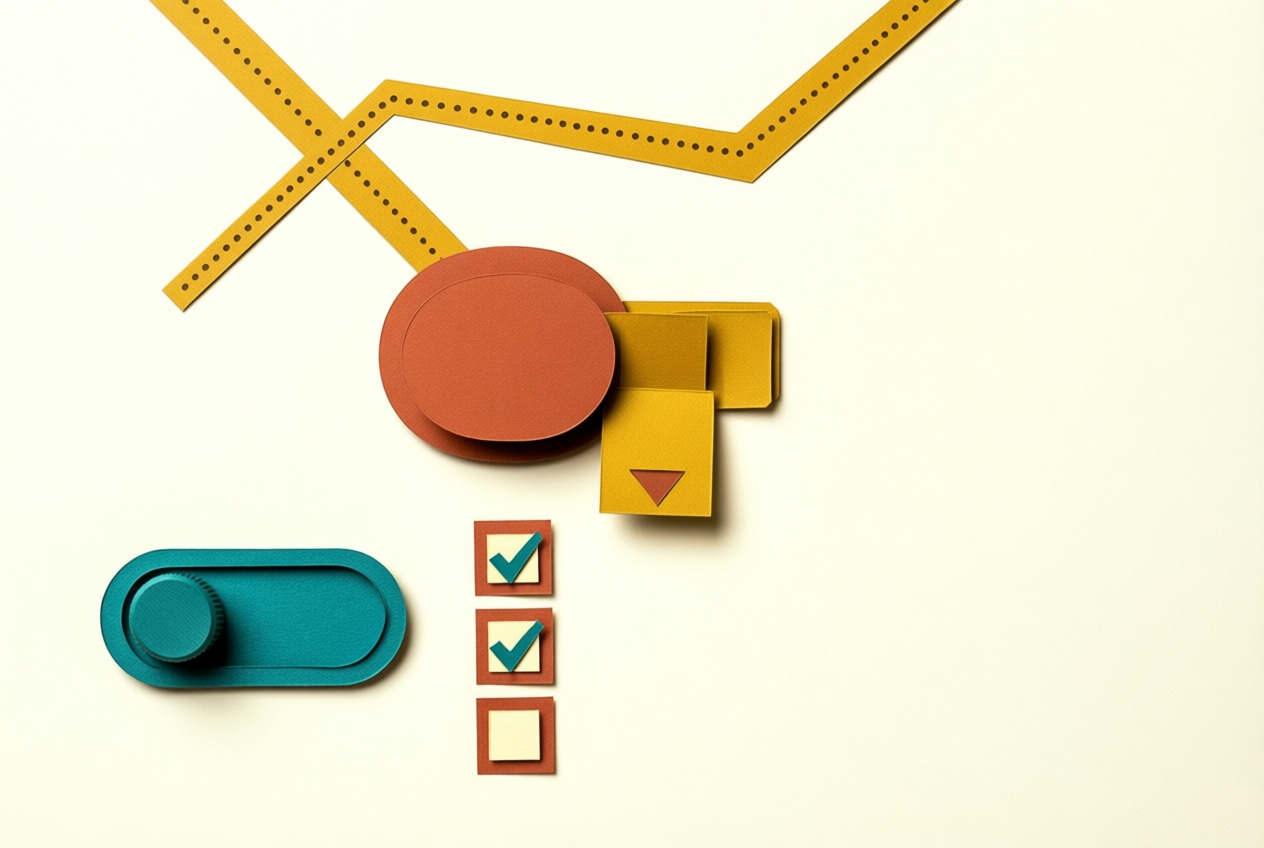
Buttons trigger an action, like ‘Book a session’. Drop-downs tuck choices away until someone needs them. Label each one with what happens next, not a vague ‘Submit.’
Other controls include:
- Checkboxes for picking several options at once
- Toggles for simple on-or-off settings
- Text fields for names, emails, and project details
An intuitive user flow is the path someone takes from landing on your page to finishing a task.
A copywriter’s intake form can ask for project type in a drop-down, then show only the questions that apply, so clients finish in one sitting. Make the next step obvious.
Principles behind strong visual design
Visuals should say what the business is about at a glance. Gestalt psychology describes how people group what they see: things placed close together read as one set, so group portfolio projects with space between them.
Brand ideals are the values you want to be known for, like calm. A stationery designer whose brand promises calm uses soft neutrals and generous spacing, so the look makes that promise before the bio does.
First impressions form quickly, so make the first screen earn the scroll.
Turning wireframes into polished mockups
A wireframe is a plain layout sketch with boxes and labels but no color, so it’s cheap to change. A mockup adds color, type, and images. A solo designer who signs off on the wireframe before styling avoids a costly redesign.
Pixel-perfect precision means spacing and alignment match the spec exactly, down to the pixel (the smallest dot on a screen).
A style guide records your colors, fonts, and button looks in one place, so a client’s team can reuse them without calling you. A design system adds reusable parts built once and used everywhere.
What Makes a Design High Quality
A good-looking screen can still fail its users. Here’s how to judge whether a design works.
How easy a product is to use
Usability comes down to effectiveness (can people finish the task?), efficiency (how much effort it takes?), and satisfaction (do they feel good about it?). It’s a subset of user experience (UX), and easy use is necessary but rarely enough.
A photographer’s booking form that’s quick to finish but hides the cancellation fee in a tiny link is easy to use, yet it’s a dark pattern: a design that tricks people into choices that favor the business. Ethical design avoids them.
Designing for people with disabilities
Designing for disability means making sure people using screen readers, keyboards, or large text can still get the job done. That’s disability accommodation, built in from the start.
Web Content Accessibility Guidelines (WCAG) 2.0 covers a wide range of recommendations, including contrast standards for text and background colors. Its four principles, often shortened to POUR, say content must be:
- perceivable
- operable
- understandable
- robust.
An illustrator who sets pale gray prices on white may love the look, but shoppers in sunlight can’t read them. Darkening the text takes minutes, and every shopper can read the price. Responsive layouts that hold up at high zoom serve everyone.
How to tell if UX works
Peter Morville’s UX Honeycomb names seven facets:
- useful
- usable
- desirable
- findable
- accessible
- credible
- valuable.
Useful, usable, and desirable ask whether it solves a real problem, whether people can use it, and whether they want it. Findable, credible, and valuable ask whether people can locate it, trust it, and get something worthwhile.
Good UX is less about how it looks and more about whether it works. Pretty alone doesn’t pay the bills.
Jobs and Skills You Can Pursue
User experience (UX) design is about how a product works, while user interface (UI) design shapes what people see and tap. Here’s a quick map of the roles.
Common titles like UX and UI designer
In What Makes for a Good UX Professional?, the paper notes the job market lists these specialists under several names. Here are the core titles:
- UX designer: maps how people move through a product.
- UI designer: shapes the screens, buttons, and layout.
- Interaction designer: focuses on how the interface responds to actions.
- Information architect: organizes content so people can find things.
- Usability specialist: tests with real users to spot where they get stuck.
What a product designer does
A product designer combines UX and UI work and ties both to business and product strategy. Think of a freelance designer rebuilding a small booking app from concept to launch.
One scope covers research, screens, and developer handoff, so the client gets one estimate instead of three. Price research and screen design as separate lines, so a screens-only request doesn’t get quoted as the whole job.
Working with developers and stakeholders
You’ll rarely design alone.
Developers and engineers turn designs into working code, visual and industrial designers may own brand or physical product choices, stakeholders and product owners set priorities, and business analysts track what the business needs.
Consider a solo illustrator designing app icons. The developer needs the sizes in writing, and the product owner has to approve the colors. Ask who signs off before you start, not just what they want, and you’ll skip a round of revisions.
Writing clear UI text and microcopy
Microcopy is the small text in an interface, like button labels and error messages. Good microcopy keeps terminology and tone consistent, so the same action gets the same word everywhere.
Consider a freelance writer whose tighter error message breaks the layout on phones. That’s content-experience coupling: the words and the layout depend on each other. Write for the next step, not the clever line.
How to learn UI/UX as a beginner?
A degree program gives structure, but a portfolio shows what you can do, and you can build one without a degree. Coding isn’t required to start, since much of the work happens in design tools.
Start small: take one project, such as a sign-up form, from research to final screens.
Structure each case study the same way:
- The problem: what users struggled with.
- Your process: research, sketches, and testing.
- Key decisions: what you chose and why.
- The result: what changed and what’s next.
UX is an in-demand field, with tech, finance, and healthcare employers all hiring. A Research.com analysis reports that technology and finance employ over 60% of user experience graduates.
Is UI/UX design well paid? We don’t have verified salary figures, so we won’t guess at a range. Demand isn’t the same as pay, so check current data for your city and specialty.
Is UX hard to learn? It’s learnable with steady practice. The tools are the easier part.
How graphic and UI design skills differ
Graphic designers focus on print, where a poster is fixed once it’s printed. Screens have to adapt to phones, tablets, and laptops, and UI also needs accessibility, so people with different abilities can use it.
Some teams build a minimum viable product (MVP), the simplest working version, without a UI designer. That can work for a quick test, but someone still has to make the screens clear.
Deliverables and the Tools Behind Them
Every project ends in a stack of files, each with a clear job. Here’s what to hand over and the tools that help.
Files and documents designers hand over
A wireframe is a bare-bones sketch of layout and content, and a prototype is a clickable version people can test. Wireframes show where things go; prototypes show how they behave.
A user flow diagram maps the path someone takes through the product, while a specification document spells out the rules, like what a disabled button does.
- An annotated wireframe carries notes on each element so developers don’t have to ask.
- Mockups show the finished look, with colors, type, and spacing.
- Personas profile the people you’re designing for.
Consider a freelance designer who hands over a user flow, three annotated wireframes, and a one-page spec for a meal-kit app. The developer builds it in one pass instead of sending a string of follow-up questions.
That’s less guessing and fewer late-night messages.
Design tools and ready-made templates
Figma includes prototyping, so you can click through linked screens in one file. A design system is a shared library of reusable parts, like buttons and text styles, so you change a button once instead of redrawing it on every screen.
- Flowchart and persona templates give you starter shapes and fields, so you aren’t facing a blank page.
- AI (artificial intelligence) tools can sketch layout options quickly, but treat the output as a starting point and check it against what your users need.
- Color palette tools help you build colors that work together, and many also check that text stays readable on its background.
UI and UX work best together. Beautiful screens still frustrate people when the steps don’t make sense, and smooth flows still feel cheap when the screens look rough. When you design, research, or pitch this work, keep both in view.
Build a repeatable process, choose tools that fit your workflow, and price for the research and testing as well as the final screens. Solo work gets easier when you know exactly what you’re selling.
The screen earns the glance. The experience earns the return visit.
References
- What Makes for a Good UX Professional?: Development of a UX Professional Competence Model — dl.acm.org
- The Contemporary Understanding of User Experience in Practice — doi.org (2015)
- Co-Creation with Older Adults to Improve User-Experience of a Smartphone Self-Test Application to Assess Balance Function — pmc.ncbi.nlm.nih.gov (2020)
- 2027 Top Industries Hiring User Experience Graduates: Demand, Pay, and Growth Trends — research.com (2025)
- Web Content Accessibility Guidelines (WCAG) 2.0 — w3.org
Questions
How to learn UI/UX as a beginner?
Start with a small project, such as a sign-up form, and take it from user research through sketches, testing, and final screens. Learn the basics of usability and visual design, practice with design tools, and document your decisions and results in portfolio case studies. A degree can provide structure, but it is not required to build a portfolio.
What exactly is UI and UX design?
UI design is the look and layout of screens and the controls people use, such as buttons, menus, and fields. UX design is the broader experience of using a product, including whether it is useful, easy to use, and satisfying. UI is one part of UX.
Is UI/UX design well paid?
Pay varies by location, specialty, experience, and employer, so check current salary data for the market you plan to work in. Strong demand for UX roles does not necessarily mean every position pays well.
Does UX UI require coding?
No. Coding is not required to begin UI/UX design, since much of the work happens in research and design tools. Designers often collaborate with developers, and basic coding knowledge can help them understand implementation constraints.
What does a UX designer do?
A UX designer researches users’ needs and designs how they move through a product to complete tasks. The work can include interviews, user flows, wireframes, prototypes, usability testing, and improving a product after launch.
Do UX designers get paid well?
UX designers’ pay varies by location, experience, specialty, and employer. Compare current salary data for your city and the type of UX role you are considering rather than assuming demand guarantees a particular salary.
Is UX hard to learn?
UX is learnable with steady practice, though it requires more than mastering design tools. You need to understand users, make and test design decisions, and improve products based on evidence.
Is UX design like graphic design?
UX and graphic design overlap in visual communication, but they have different scopes. Graphic design often focuses on fixed materials such as posters, while UI design must adapt to different screens and support interaction and accessibility; UX also considers the entire experience of using a product.
Sources
- The Contemporary Understanding of User Experience in Practice, doi.org,
- Web Content Accessibility Guidelines (WCAG) 2.0, w3.org
- Co-Creation with Older Adults to Improve User-Experience of a Smartphone Self-Test Application to Assess Balance Function, pmc.ncbi.nlm.nih.gov,
- 2027 Top Industries Hiring User Experience Graduates: Demand, Pay, and Growth Trends | Research.com, research.com,
- What Makes for a Good UX Professional?: Development of a UX Professional Competence Model, dl.acm.org