Pinterest affiliate marketing, explained for beginners
Pinterest affiliate marketing lets you earn by recommending tools you already use. Get setup, disclosure, link, pin, and tracking steps that keep you compliant.


Contents
Pinterest affiliate marketing means sharing useful pins that link to products or tools you recommend, then earning a commission when someone buys or signs up through your link. Success depends on choosing relevant products, creating searchable and varied pins, disclosing commissions clearly, following Pinterest and program rules, and tracking outbound clicks and sales. Consistent, helpful pins can keep attracting visitors over time, while a portfolio site or newsletter helps you build an audience and rely less on any one platform.
Think about the last time a designer friend asked which app you use to track invoices. You told them, and they thanked you.
Pinterest affiliate marketing works the same way: you share the tools you already rely on, and you earn a commission when someone buys through your link.
Here’s what we’ll cover: how the program works, the rules you can’t skip, account setup, pin design, link strategy, and tracking. We’ll also look at how solo creatives can promote software and creative tools through a portfolio site and newsletter.
Why Pinterest Affiliate Marketing Pays Off
Pinterest works differently from other social apps, and that’s what makes affiliate links pay off here.
Shoppers arrive here ready to buy
Pinterest works more like a visual search engine than a social feed, and people arrive with shopping intent. A research paper on Pinterest search describes search as a key surface where users seek inspiration.
Many of those searches don’t name a brand, which tends to favor smaller shops. Pinterest also draws super shoppers, a group with higher incomes.
Is Pinterest still popular?
Yes. A research paper on feature interactions at Pinterest cites over 500M monthly active users (MAUs), meaning people active each month. Pinterest’s own third quarter 2026 results put global MAUs up 10% year over year to 661 million.
The audience skews female. A research paper on celebrity lifestyle brands describes a strong female user base, and Pinterest has reported growth among Gen Z users. Pinterest’s top countries by users are worth checking before you pick a target market.
Pins keep earning clicks for months
GenSumo’s Pinterest Pin Lifespan Report 2026 puts the average pin lifespan at about 16 weeks, roughly 40 times longer than an Instagram post, and finds pins outlast Facebook posts too.
Those visits are free organic traffic, from search and browsing rather than paid ads.
Each new pin adds to the ones already working, so results build instead of restart. Think of a freelance illustrator who pins a moodboard with an affiliate link to the brush set she used.
Months later, someone planning a wedding buys that brush set through the pin, and she earns a commission without touching it again. Pins keep working while you’re busy with client work.
Start without a big following or product
Search brings people to pins, so you don’t need a big following to get found. You don’t need your own product either. Affiliate marketing means promoting something someone else sells and earning a commission on each sale. Here’s how you earn:
- Pin something useful. A moodboard or tool walkthrough works well.
- Add your affiliate link. Point it to a product you genuinely recommend.
- Collect the commission. It comes in when a reader buys through your link.
Ads blend into the feed, so they read as ideas worth saving rather than interruptions. Affiliate income also spreads your earnings beyond client invoices.
Set up Your Account the Right Way
Your account and profile do the quiet groundwork for everything else here. Here’s what to set up:
Switch to a free business account
Convert your personal account to a business account for free. It’s required for commercial use, and affiliate promotion counts. It also gives you:
- Analytics and audience insights. See which pins get saved and clicked.
- Ads access. Boost a pin later if reach stalls.
Choose a visual niche you enjoy
Visual niches perform best on Pinterest. Home decor, fashion, beauty, food, travel, DIY, and wellness are strong starting points. Pick one you enjoy over one that merely looks profitable, since you’ll pin it for months.
Tech fits too, especially software as a service (SaaS), meaning subscription software. Creative niches such as design resources, templates, and software fit here as well.
Think of an illustrator who pins tutorial screenshots made in a drawing app she uses daily, linking to that app’s affiliate page. Savers get a how-to, and she earns when someone signs up.
Which companies offer affiliate programs?
Many software and creative tool companies run affiliate programs. You can join one directly or through an affiliate network, a platform that lists many programs and offers tracking and support.
Amazon’s Associates program is a common starting point. We don’t have a verified follower count to quote, so skip secondhand numbers and check Amazon’s current requirements, since they can change.
Here’s how Amazon affiliate marketing works: you share your unique tracking link, and when a reader clicks and buys, Amazon tracks the sale back to you and pays a commission.
Before you commit, see which programs and tools competitors promote. Then set measurable goals, like a click target for each pin, rather than vague hopes.

Verify your site and optimize boards
Claim and verify your website so your domain’s pins tie to your account. Write your bio and board titles the way a searcher would type them. Clever names rarely get found.
For example, a freelance photographer who names a board “Travel Photo Tips” instead of “My Adventures” gives searchers a reason to click. Repeat those keywords in your board descriptions.
Rich Pins pull product or article details from your site onto your pins. Check those pages first, since pins can only show what your site already publishes.
Rules and Disclosures You Can’t Skip
Before you pin a single affiliate link, know the rules. Most are simple, and they keep your account in good standing.
Affiliate links are allowed on Pinterest
Pinterest permits affiliate links, so you don’t need to hide them. Each program or network sets its own terms, and some restrict how their links get shared. Check them first.
Etsy and Amazon, for example, each run their own programs with their own guidelines.
Pins need substance too. Say a freelance illustrator reviews the stylus they use on every client sketch and pins that review, with the affiliate link inside it. The reader gets a real answer. Lead with what’s useful, not what’s promotional.
Say clearly when you earn commission
Disclosure isn’t optional. The study Endorsements on Social Media, which examined affiliate disclosures on YouTube and Pinterest, notes that the Federal Trade Commission (FTC) requires creators to disclose their endorsements to prevent deception and harm.
Pinterest’s own policies apply too.
- Use #ad or #affiliate. Put it where people will see it, not buried in a row of hashtags.
- Disclose on the destination page. Repeat it on your portfolio site, blog post, or newsletter.
- Keep it clear and prominent. Easy to notice is the test. ‘This is an affiliate link’ works; ‘thanks to our partners’ doesn’t.
Habits to avoid on Pinterest
- No link shorteners. They hide where a link goes, so use the full URL.
- No fake engagement or accounts. Skip bought followers, and don’t create extra accounts to like your own pins.
- No repetitive pinning or spam. Flooding boards with the same link reads as spam. Spread out fresh pins tied to real content.
- No misleading pins. A ‘free template’ image that lands on a sales page is a bait-and-switch.
- One account only. Run your studio from a single account.
Keep it clean, and your pins keep working.
Choosing Between Direct Links and Landing Pages
Every pin needs a destination: the product itself, or a page you control first. Here’s how they compare.
Link pins straight to the product
Direct linking is the quickest route. Think of an illustrator who pastes her affiliate link into a pin for her favorite drawing tablet and is live that afternoon.
- Fast and simple. There’s no site to build.
- Works without a website. Handy if you don’t have a portfolio yet.
- Risk of domain flagging. Pinterest can flag a domain that appears on many pins.
Build a blog or landing page first
A landing page is one you control, like a blog post, a review page, a bridge page that explains a tool before linking out, or a squeeze page built to collect emails. Think of a photographer who reviews her lighting kit on a blog post and pins that review.
Readers see her shoots lit with it and join her newsletter.
- Email capture. Visitors can join your list before they leave.
- Own the traffic asset. Your audience stays on your site and list.
- More resilient to program changes. If a program changes its terms, you update one page, not every pin.
- Portfolio site as landing page. Your portfolio can show the work and the tools behind it.
Direct links win on speed. Landing pages win on ownership.
Other places pins can send people
Pins can also send people to:
- YouTube channel. A walkthrough video of a tool you use, linked in the description.
- Instagram profile. A place for followers to find the tools you recommend.
- Opt-in pages. A page that trades a free download for an email address.
Each works. The real question is which one you’ll keep up. Start with one.
Make Pins People Actually Click
Why would someone stop scrolling for your pin? Usually because it’s readable in a split second and shows what they’ll get. Here’s how we build that moment.
Design tall pins with bold text
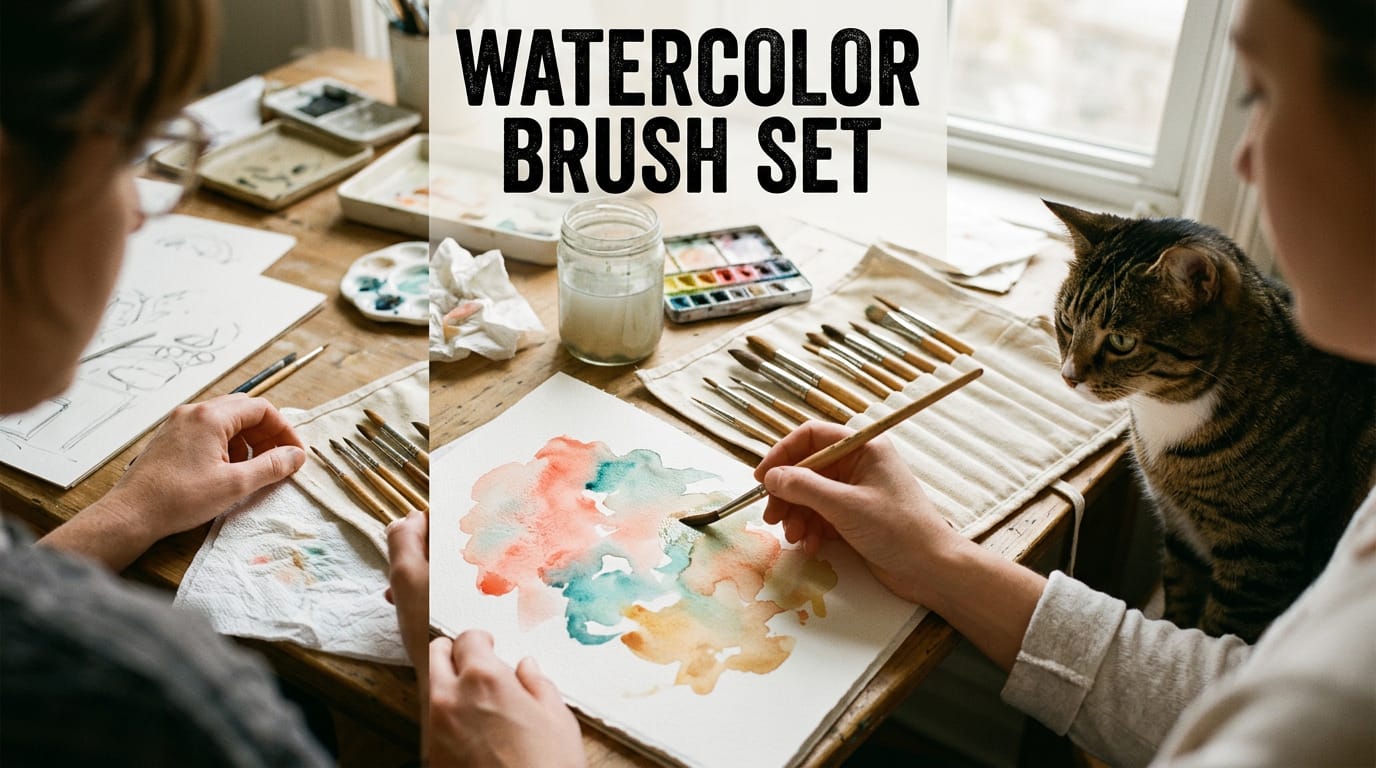
Build tall pins at 1000x1500 pixels, a 2:3 ratio, with short, bold text that reads at thumbnail size. Say you’re a freelance illustrator selling a brush set. A pin headlined “Watercolor Brush Set” over your strokes tells buyers what they’re getting.
A few tools and formats help:
- Canva and design tools. Canva or a similar tool gets you to a clean layout fast.
- Artificial intelligence (AI) images. They add variety, but they should match the real product.
- Video and Idea Pins. A short clip of your tool in motion shows what a still image can’t.
- Authentic real-life product imagery. Show the product in use rather than alone on a backdrop. Real photos build more trust.
Make 5 to 10 pins per post
Create 5 to 10 pin variations per post, changing the headline, image, or color. Test one element at a time rather than everything at once.
A freelance photographer promoting a preset pack might pit a warm before and after against a bold headline. Whichever draws more clicks tells them which look to reuse. Give each variation a different keyword focus. Variety is the test.
Find keywords people search on Pinterest
Two spots reveal the words people actually type:
- Search bar autocomplete. Note what Pinterest suggests as you type a topic.
- Related searches and Pinterest Trends. Check related searches on results pages, and use Trends to spot rising topics.
Use those phrases in titles and descriptions, and describe what it is, not just what you called it. Repeat them in alt text (a short image description for search tools) and in file names like watercolor-brush-set.jpg.
Add a few relevant hashtags, but let keywords do the heavy lifting.
Use Rich Pins to earn more clicks
Rich Pins pull extra details from your site, so pins show more than an image and caption. There are three types:
- Product pins for items you sell, like a template or font pack.
- Recipe pins suit food content, so most solo creatives can skip them.
- Article pins for tutorials and blog posts.
They auto-sync your site’s metadata, the page details that sit behind the scenes, so pins update when the page does. That added trust can lift your clicks.
Grow Steadily with the Right Habits
Steady growth on Pinterest comes from a few repeatable habits, not one big push. Here’s how to fit them into a busy week.
Post consistently without spamming
Pin consistently, around 5 to 15 pins a day, spread across the week rather than crammed into one session. Think of a freelance illustrator who promotes a drawing tablet through her portfolio site.
Five fresh pins on a regular schedule give her a steady trickle of clicks, while a pile of pins in one afternoon gives her a single burst and then silence.
Avoid spamming: pinning the same link over and over teaches people to scroll right past you. A single well-made pin that links to a genuinely useful page beats a dozen rushed ones. Quality wins.
Schedule pins with tools that save time
Design a handful of pins in one sitting, then let a scheduler publish them through the week. Your main options:
- Tailwind and Later, third-party scheduling tools
- Pinterest’s native scheduler, built into the platform
- BlogToPin, which generates pins in bulk from your blog posts
Whichever you pick, schedule for when your audience is most active, not whenever you happen to finish.
Join boards and engage with your community
Join group boards in your niche, which are shared boards where several pinners add pins to reach a wider audience. Then build a few habits around them:
- Follow niche accounts and repin their best work
- Reply to comments on your own pins
- Connect in Tailwind communities to meet other pinners and swap tips
Keep your content mix varied, so your profile reads as a resource first and an advertisement second.
Boost your best pins with ads
Paid promotion works best on pins that already work. Start with your best-performing pins, the ones already earning saves and clicks, instead of paying to test something unproven.
A quick ad promotes one pin in a few clicks, while a full campaign gives you more control over targeting and budget. Consider a photographer who promotes a photo editing app through her newsletter.
Her top pin already draws steady saves, so a modest budget puts it in front of more people who care about editing tools.
Treat organic reach as the foundation and paid promotion as the boost. Use ads to amplify what’s working, not to rescue what isn’t.
Check Whether Your Pins Are Working
Pins can look busy and still earn nothing, so we’ll focus on the numbers that matter. Expect earnings to build slowly, and give each pin time before you judge it.
Read the numbers that matter most
Your Pinterest analytics track three basics:
- Impressions. How often your pin was shown.
- Saves. How often someone saved it to their board.
- Clicks. Taps on the pin.
Outbound clicks (taps that send people off Pinterest to the product you promote) are your key goal. Saves tell you a pin is liked; outbound clicks tell you it’s working. Clicks pay.
Your audience insights show who’s engaging, so you can aim designs at them. The Trends tool shows what people search for, so you can time pins to rising topics.

Follow buyers from pin to purchase
A click is only step one. UTM parameters are short tags added to a link that label where each click came from. Pair them with Google Analytics, which shows what visitors do on your site after they arrive.
Consider an illustrator who promotes a drawing app through her portfolio site. A buyer might save her pin, click a few weeks later, then buy after reading her newsletter. Without tagged links, that sale looks like it came from the newsletter alone.
Tracking the customer journey shows her which pins start the path, so she’ll know what to make more of.
Review your numbers regularly, keep the pins and links that send buyers, and retire the rest.
According to Tracking online ad campaigns: A primer, affiliate marketers can assess performance with measures like outbound clicks and conversions (sales or sign-ups), then adjust their strategy based on results.
Common Mistakes and Roadblocks to Avoid
Most stalled Pinterest affiliate setups hit the same few walls. Knowing them up front lets you step around them.
Traps that catch beginners out
- Giving up too early. Pins need time to be discovered, so a few quiet weeks doesn’t mean the strategy failed. Give it a fair run before you change course.
- Ignoring Pinterest SEO. Pinterest works a lot like a search engine, so your pin titles, descriptions, and board names decide who finds you. Write them the way your ideal client would type them.
- Skipping disclosures. If a link earns you a commission, say so plainly. Readers trust a creative who’s upfront, and it keeps you on the right side of the rules.
- Repetitive pins and shorteners. Reposting one image can look like spam, and hidden shortened links make it hard to tell where a click leads. Link directly instead.
Stay flexible as the platform changes
Algorithm and policy shifts. The platform’s algorithm and rules will keep changing, so treat your strategy as a living plan. Recheck the rules regularly instead of assuming last year’s approach still works.
Diversify across platforms. Pinterest shouldn’t be your only door. Send traffic to your portfolio site and a newsletter you own, so one policy change can’t empty your pipeline.
80/20 content balance. Aim for roughly four helpful pins for every promotional one. A freelance photographer might share lighting tips for product shoots, then mention the editing software she uses in an occasional pin.
Because the helpful pins built trust, people click when the software pin appears.
Patience, slow initial income. Early commissions can trickle in slowly, and that’s normal. Treat the first stretch as building your pin library and audience, because the goal is consistency rather than spikes. Slow isn’t failure.
Running Brand and SaaS Programs on Pinterest
Pinterest works best for brands and software programs when affiliates do the pinning.
Give affiliates the tools to pin
Make pinning easy rather than a chore by having materials ready before affiliates ask. Offer these:
- Pinterest-friendly blog images: tall, clean visuals on the posts you want shared, so affiliates don’t crop screenshots from scratch.
- Pin templates and resource kit: ready-made pins with room for an affiliate’s link, plus your logo, product shots, and brand colors.
- Share buttons on content: a visible Pin button on tutorials and reviews, so readers can save the page in one tap.
- Promote Pinterest to affiliates: name it in your onboarding so pinning isn’t an afterthought.
For example, a freelance illustrator promoting a design app gets a kit with three pin templates. She adds her link to one, pins it to her lettering board, and skips starting from a blank canvas. Fewer steps for her means more pins working for you.
What brands gain from Pinterest
Brand awareness is how many people recognize your name. A pin can keep getting seen long after it’s posted, and over time that repeat exposure builds loyalty: the reason someone returns to you instead of trying the next tool.
Return on investment (ROI) is what you earned compared to what you spent. A conversion is the action you want, like a trial sign-up or a license purchase. Affiliates usually earn when that happens, so your spend follows results rather than guesses.
Brands can also pin their own products to their own boards, using the same templates they hand out. Your affiliates see good pinning in action. Lead by example.
Pinterest affiliate marketing rewards patience. Set up your account properly, follow the disclosure rules, and pin only tools you genuinely use.
Your pins can keep working long after you post them, and your portfolio site and newsletter give readers a trusted place to find them.
Start small with a clean account, a handful of honest pins, and a tracking habit you’ll actually keep. A few real recommendations, pinned consistently, will do more for your studio than any quick win.
References
- Improving feature interactions at Pinterest under industry constraints — doi.org (2024)
- OmniSearchSage: Multi-Task Multi-Entity Embeddings for Pinterest Search — doi.org (2024)
- I Want to be Like Her: Celebrity Lifestyle Brands on Pinterest — doi.org (2017)
- Endorsements on Social Media: An Empirical Study of Affiliate Marketing Disclosures on YouTube and Pinterest: Proceedings of the ACM on Human-Computer Interaction: Vol 2, No CSCW — dl.acm.org (2018)
- Tracking online ad campaigns: A primer — link.springer.com (2010)
- Pinterest Announces Third Quarter 2026 Results, Delivers 12% Revenue Growth and Record Users — businesswire.com (2026)
- Pinterest Pin Lifespan Report 2026 — gensumo.com (2026)
Questions
What is the 3-3-3 rule in marketing?
The 3-3-3 rule is a marketing guideline, not a single universally defined standard. One common version is to identify three audience needs, create three key messages, and share each message through three channels; definitions vary, so check how a particular marketer uses the term.
How to earn from Pinterest?
You can earn on Pinterest by joining an affiliate program, creating useful pins about products you genuinely recommend, and linking to those products or to a page you control. You earn a commission when someone buys or completes another qualifying action through your tracked link. Disclose the relationship clearly and follow both Pinterest’s policies and the program’s terms.
How does Amazon affiliate marketing work?
Amazon affiliate marketing lets members of its Associates program share unique tracking links to Amazon products. When someone clicks a link and makes a qualifying purchase, Amazon attributes the sale to the member and pays a commission under the program’s rules and rates.
How many followers do I need to be an Amazon affiliate?
Amazon does not set a general minimum follower count for Associates. It reviews applications based on its current eligibility requirements, including the quality and suitability of the applicant’s website, app, or social presence, so check Amazon’s latest rules before applying.
Is affiliate marketing halal?
Whether affiliate marketing is halal depends on how it is practiced and on the products, contract, and disclosures involved. Many scholars consider commission-based promotion permissible when the product is lawful, the recommendation is honest, and the arrangement is transparent; consult a qualified scholar for a ruling on a specific program.
Is Pinterest still popular?
Yes. Pinterest remains widely used, with more than 500 million monthly active users cited in recent research and 661 million reported globally in the third quarter of 2026. It also functions as a visual search and shopping discovery platform, not just a social feed.
Which companies offer affiliate programs?
Many software and creative-tool companies offer affiliate programs, either directly or through affiliate networks. Examples include Amazon Associates and Etsy’s affiliate program; availability, commission terms, and approved promotion methods vary by company.
Do you need 600 followers to affiliate?
No, Pinterest does not require 600 followers to use affiliate links. You do need to follow Pinterest’s policies and the affiliate program’s rules, including any required disclosure of affiliate content.
Sources
- OmniSearchSage: Multi-Task Multi-Entity Embeddings for Pinterest Search, doi.org,
- Pinterest Announces Third Quarter 2026 Results, Delivers 12% Revenue Growth and Record Users, businesswire.com,
- I Want to be Like Her: Celebrity Lifestyle Brands on Pinterest, doi.org,
- Pinterest Pin Lifespan Report 2026 | GenSumo Research, gensumo.com,
- Endorsements on Social Media: An Empirical Study of Affiliate Marketing Disclosures on YouTube and Pinterest: Proceedings of the ACM on Human-Computer, dl.acm.org,
- Improving feature interactions at Pinterest under industry constraints, doi.org,
- Tracking online ad campaigns: A primer, link.springer.com,